 AgVerify
Docs
Set up AgVerify
AgVerify gives members a role after they verify their age with AgeVerif. Watch the setup guide for the short version.
Before you start
- Manage Server or Administrator in your Discord server. You need it to add bots and to use the dashboard.
- A role for verified members, for example "Age Verified". To make one, open Server Settings → Roles and press Create Role.
- A channel for the verification message, for example #verify-here, that members can see.
1Add AgVerify to your server
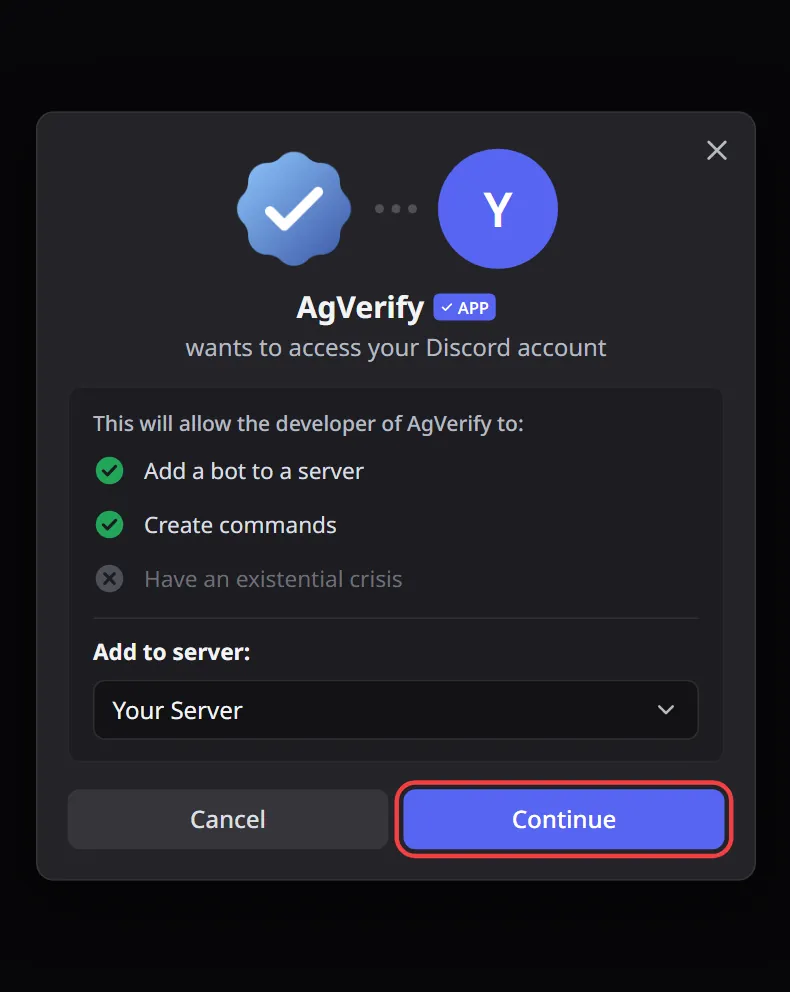
- Press Add to Discord.
- Under Add to server, pick your server and press Continue.
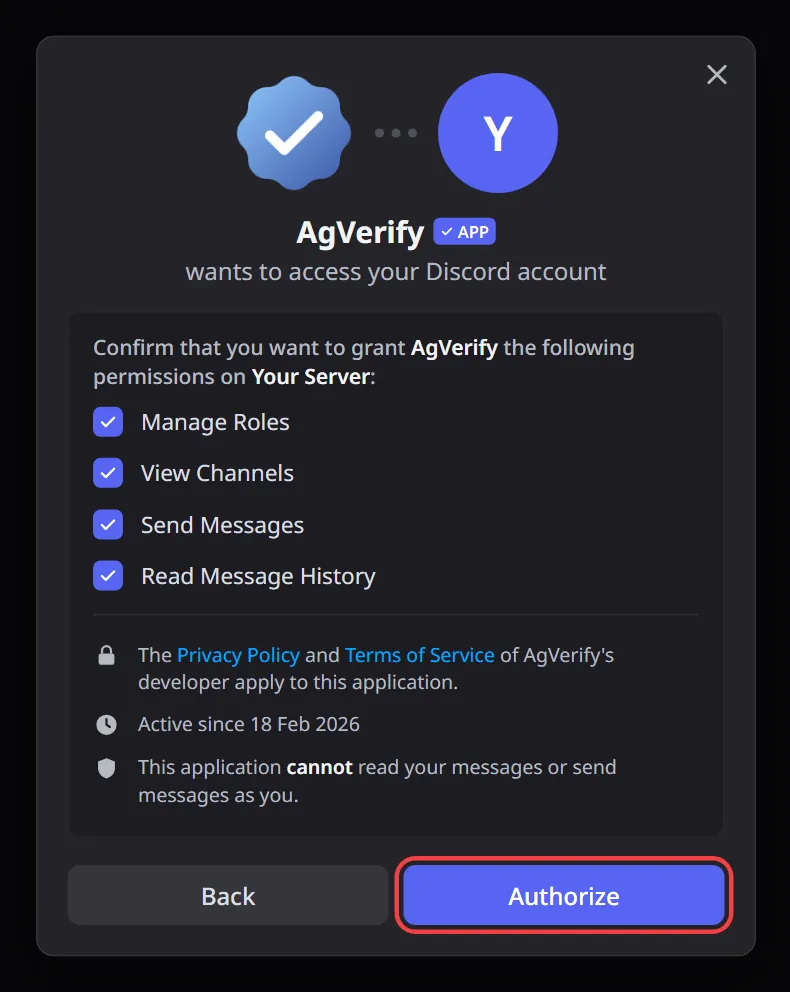
- Leave all four permissions checked and press Authorize.
2Move AgVerify's role up
When AgVerify joins, Discord gives it a role called AgVerify. Discord only lets a bot give roles that are below its own role.
- Open Server Settings → Roles.
- Drag the AgVerify role above your verified role.
- Press Save Changes.
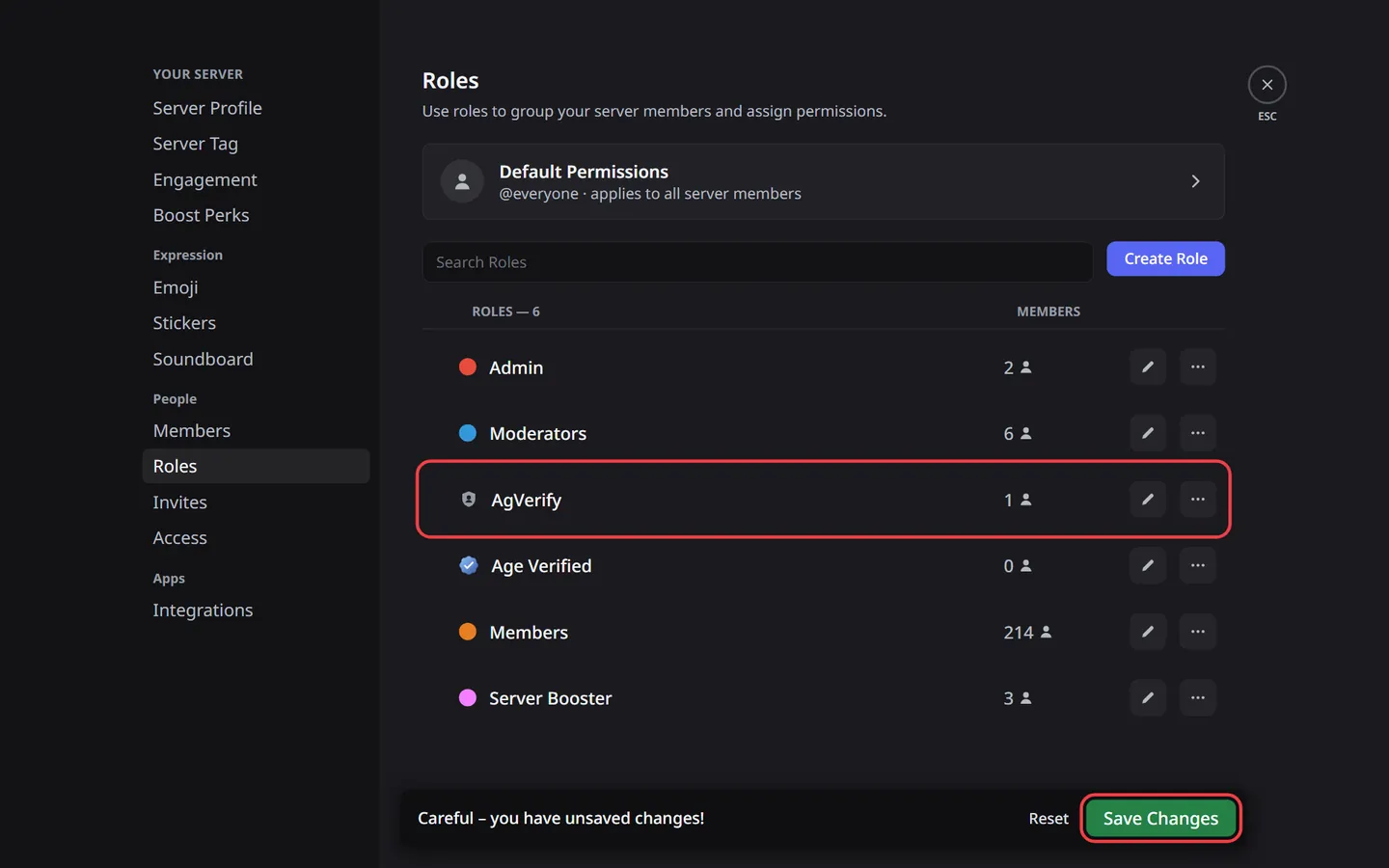
Don't skip this step. If AgVerify's role is below the verified role, members pass the age check but then see Couldn't give your role.
3Choose the role in the dashboard
- Open the dashboard and sign in with Discord.
- Pick your server, then open Verification.
- Under Role to assign, choose your verified role. Verification turns on by itself.
- Press Save verification.
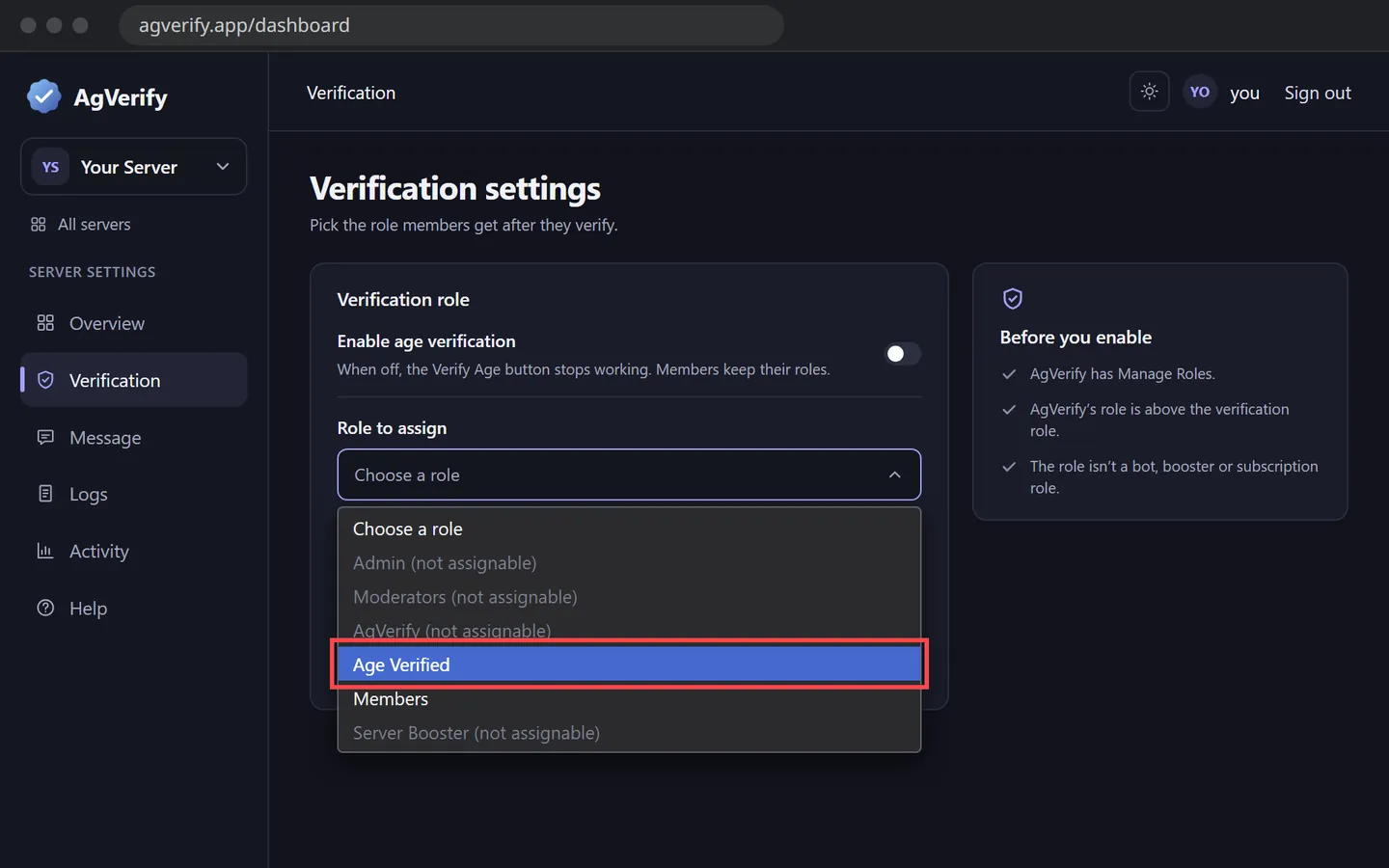
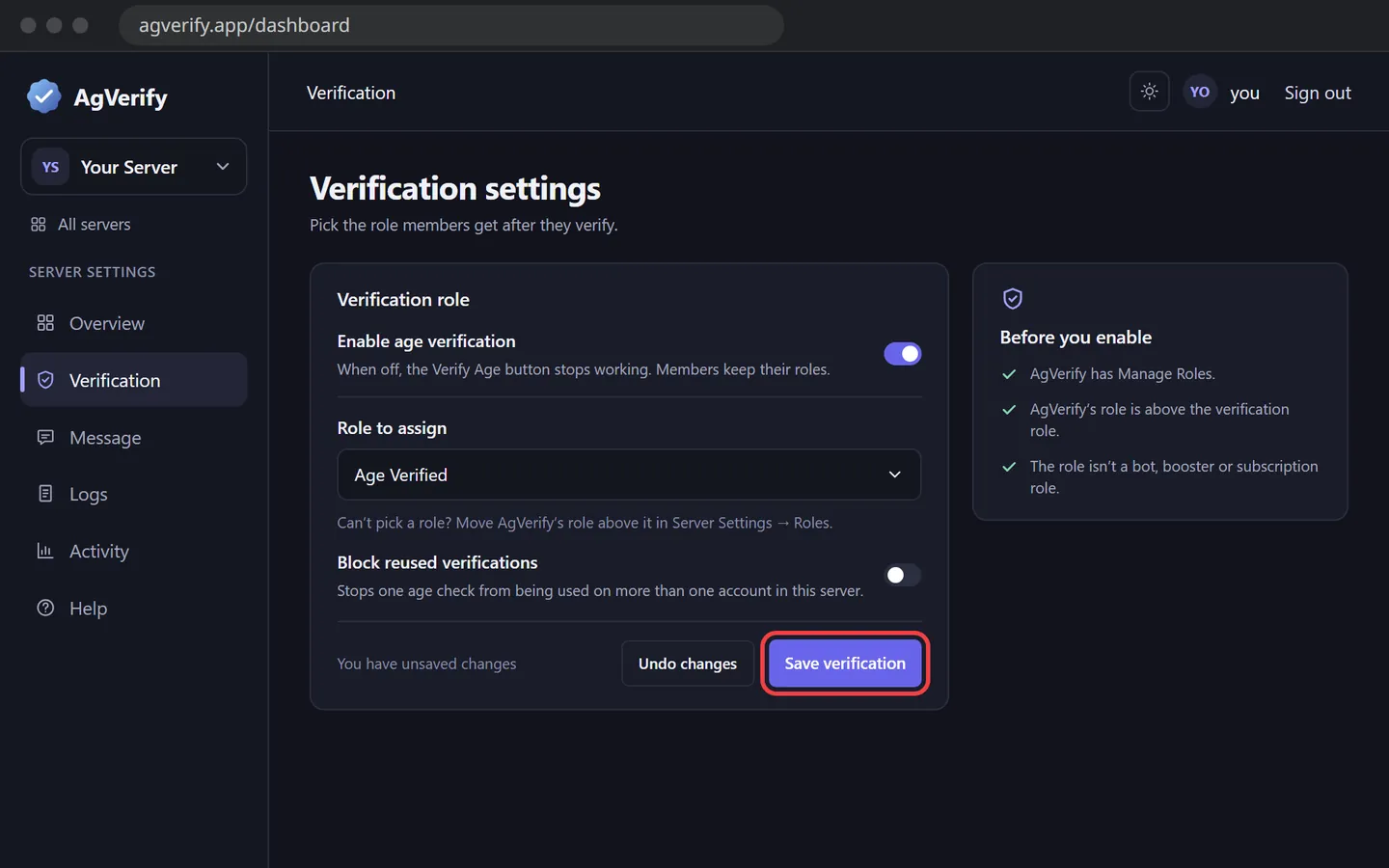
A role marked (not assignable) is above AgVerify's role, or belongs to a bot, boost or subscription. Go back to step 2, or pick a normal role.
4Post the verification message
- Open Message.
- Under Post in channel, pick your channel.
- Change the message if you like. It uses Discord markdown, which the formatting bar can add for you. Type {role} to show your verified role.
- For a box with a color, title and images, switch Style to Embed. You can also give the Verify Age button an emoji or a new label.
- Press Post to Discord, then Post message.
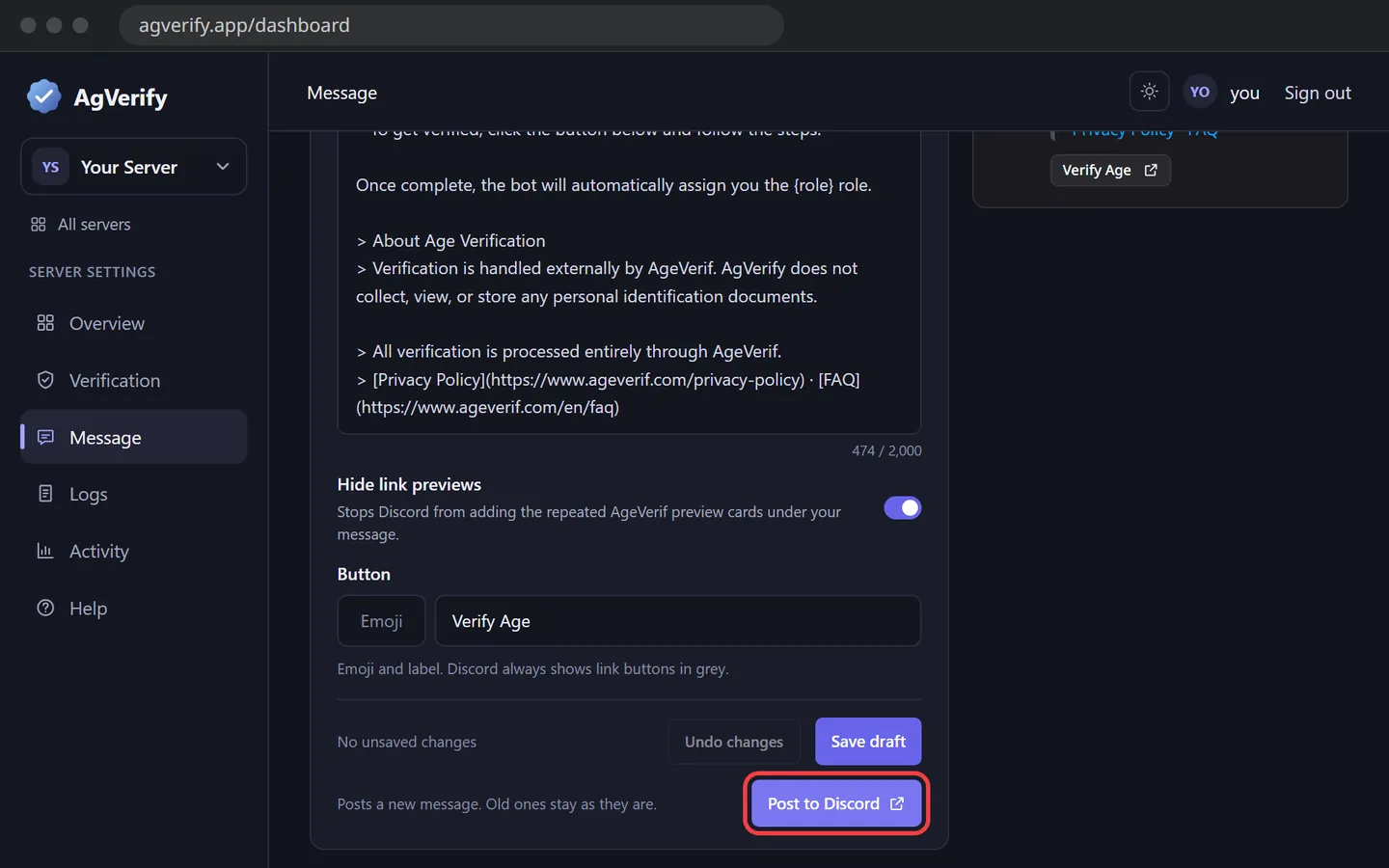
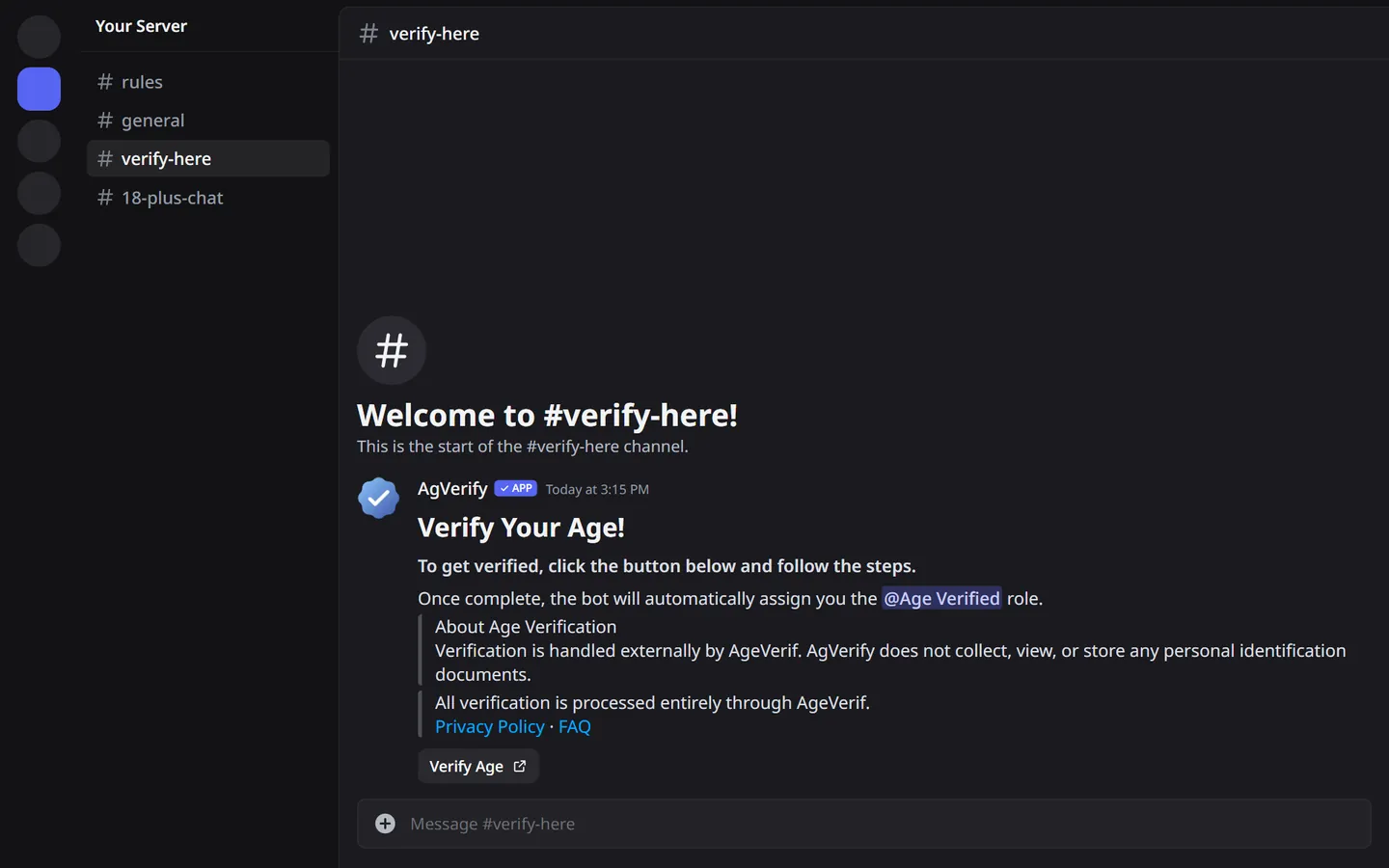
Each post adds a new message, and old messages stay. You can also post from Discord with /agverify msg.
5What members see
- They press Verify Age. Discord asks before opening the link, and they press Visit site.
- AgeVerif opens and they pick a way to check their age, such as a selfie or a credit card.
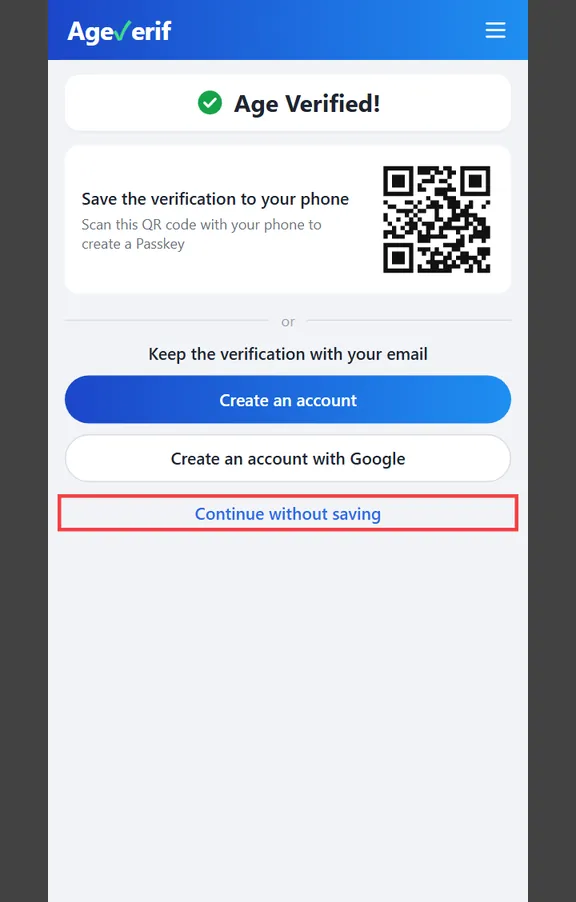
- On Age Verified!, saving is optional. Continue without saving is fine.
- AgeVerif shows what it shares, and they press Allow.
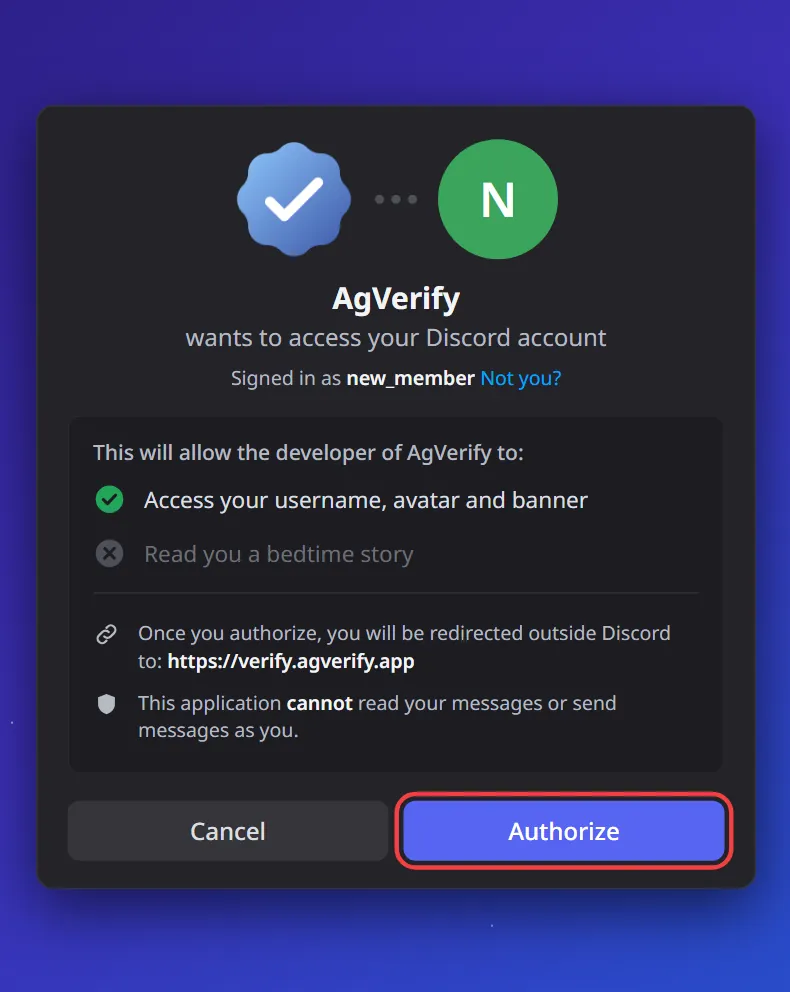
- They sign in with Discord and press Authorize, so AgVerify knows which account gets the role.
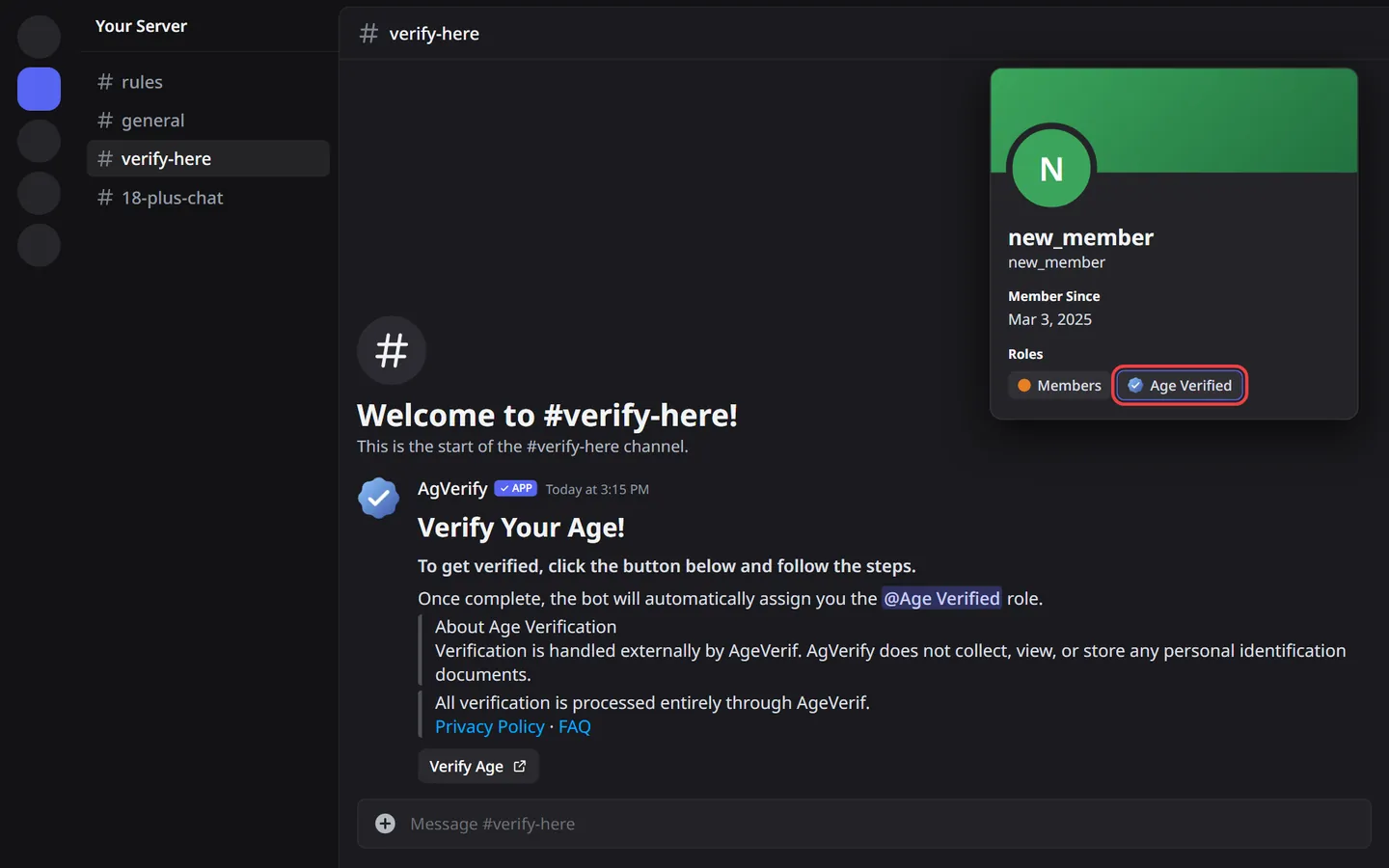
- They see Verification complete ✅ and get the role right away.
Selfie, Yoti and AgeKey only pass members aged 23 or older, or 25 in the UK. Members aged 18 to 22 should choose Credit Card, PayPal or AnonymAGE. Methods vary by country.
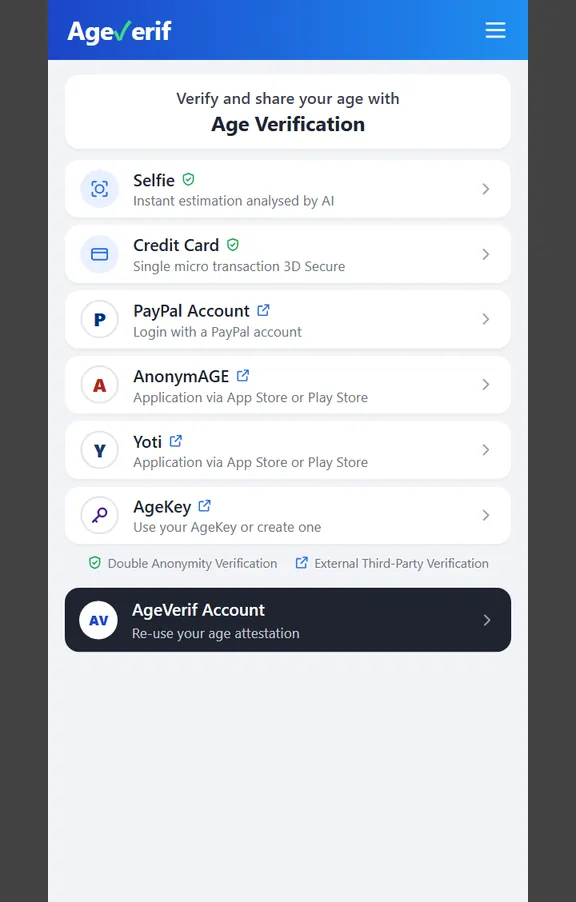
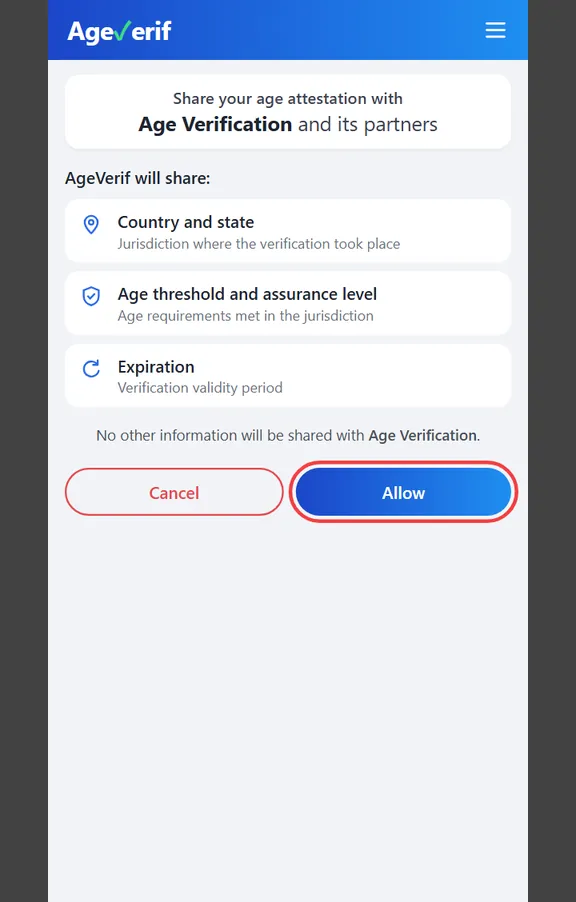
AgVerify never receives photos, ID documents, names or birth dates. AgeVerif only tells it whether the member passed and the age that was confirmed. See the Privacy Policy.
Lock your 18+ channels
AgVerify only gives the role. To hide 18+ channels from members who haven't verified, make them private:
- Right-click the channel and choose Edit Channel.
- Open Permissions and turn on Private Channel.
- Press Add members or roles, choose your verified role and press Done.
You can do the same on a whole category with Edit Category. Keep your verification channel open to everyone, so new members can reach the Verify Age button.
Check that it works
Press Verify Age yourself and go through the steps. You should get the role, and the result shows up on the dashboard's Logs page. If you see Couldn't give your role, go back to step 2.
With Block reused verifications on, one AgeVerif check works for one Discord account. Testing it again on a second account shows Already used.
Good to know
- Members who were already in your server aren't asked automatically. Anyone who needs the role presses Verify Age.
- AgVerify never takes the role away, even if you pause or remove it. To take it from someone, remove it in Discord.
- Members who leave and rejoin lose their roles, like with any Discord role, so they verify again.
Optional settings
Block reused verifications
On the Verification page. It refuses the role when the same AgeVerif check was already used by another account in your server. When it's off, a reused check is allowed and noted in the log.
Log channel
On the Logs page. AgVerify posts each result in a channel you choose, so it needs View Channel and Send Messages there. The dashboard also keeps its own log for 30 days, even with the log channel off.
Hide link previews
On the Message page, for plain text. It stops Discord from adding the repeated AgeVerif preview cards under your message. Embeds never get them.
Embed style
On the Message page. An embed needs Embed Links in that channel. If AgVerify doesn't have it there, the page tells you before you post.
Pause verification
Turn off Enable age verification on the Verification page. Members keep their roles, and new verifications stop until you turn it back on.
Slash commands
Most need Manage Server or Administrator.
| Command | What it does |
|---|---|
/agverify setrole | Choose the role given after verification. If AgVerify can't give it, it tells you what to fix. |
/agverify msg | Post a message with a Verify Age button in a channel. Works after the role is set. |
/agverify status | Show the current settings. |
/agverify setlog | Choose the log channel. |
/agverify logoff | Turn off logging. |
/agverify remove | Turn off verification. Unlike pausing, it also clears stored verification records and the dashboard log. |
/agverify button | Get the Verify Age button. Only you can see it. Anyone can use this. |
/agverify link | Get the verification link. Anyone can use this. |
Troubleshooting
What members might see
Couldn't give your role
The member passed, but AgVerify couldn't give the role. Usually AgVerify's role is below the verified role, or it lost Manage Roles. Fix it with step 2, then ask the member to verify again.
Verification not configured
No role has been chosen for this server yet. Finish step 3.
Verification not accepted
AgeVerif didn't confirm the member is 18 or older, so no role was given. If the member is 18 to 22, they may have used Selfie, Yoti or AgeKey, which need 23 or older (step 5). Ask them to verify again with Credit Card, PayPal or AnonymAGE.
Already used
This AgeVerif check was already used by a different Discord account in your server. It only appears when Block reused verifications is on.
Session expired, Session invalid or Link already used
Each verification link works once and only for a few minutes. Ask the member to press Verify Age in Discord again and finish in the same browser.
Already verified ✅
The member already has the role.
What admins might see
My server isn't in the dashboard
You need Manage Server or Administrator in that server. Sign in with the Discord account that has it.
I can't choose my role
The role is above AgVerify's role, belongs to a bot, boost or subscription, or AgVerify is missing Manage Roles. Fix it in Discord with step 2, then refresh the dashboard.
Post to Discord is greyed out
Turn on verification and choose a role first (step 3).
The message or log won't post
AgVerify needs View Channel and Send Messages in that channel. Check the channel's Permissions settings, or pick another channel.
The log channel says Needs attention
The channel was deleted, or AgVerify lost View Channel or Send Messages there. Choose a new channel on the Logs page.
Need help?
Open Help in the dashboard to send us a message. Include your server name and what you or the member saw.
Last updated November 19, 2026